
Payment Guide with PayPal
Learn how to pay an order on ZioMark's HUB via PayPal friends and family mode.
Warning! Payments are only accepted via Friends & Family mode.
Order Details
Order Number:
#--
Amount:
--
PayPal Email
Click on the email to select it or use the button to copy it
01
Select
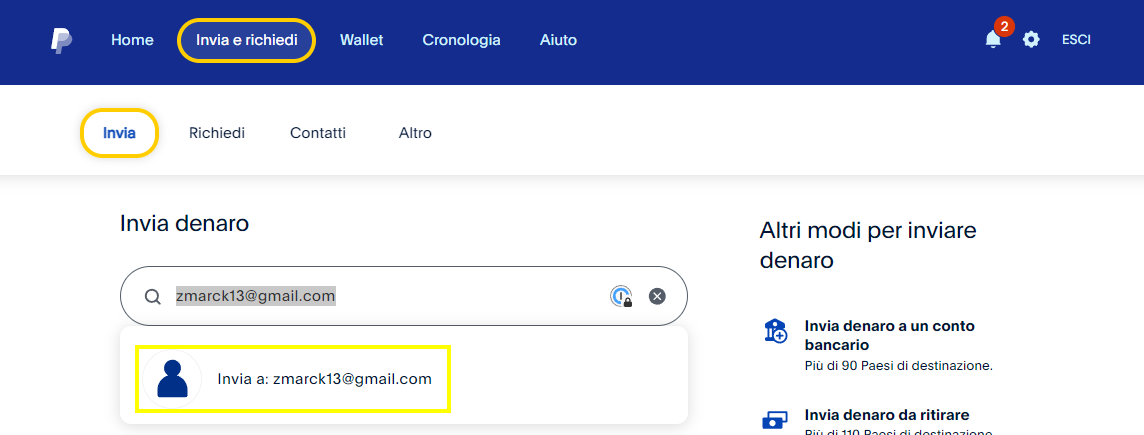
Select the recipient by entering the email [email protected] after logging into your PayPal account.
02
Amount
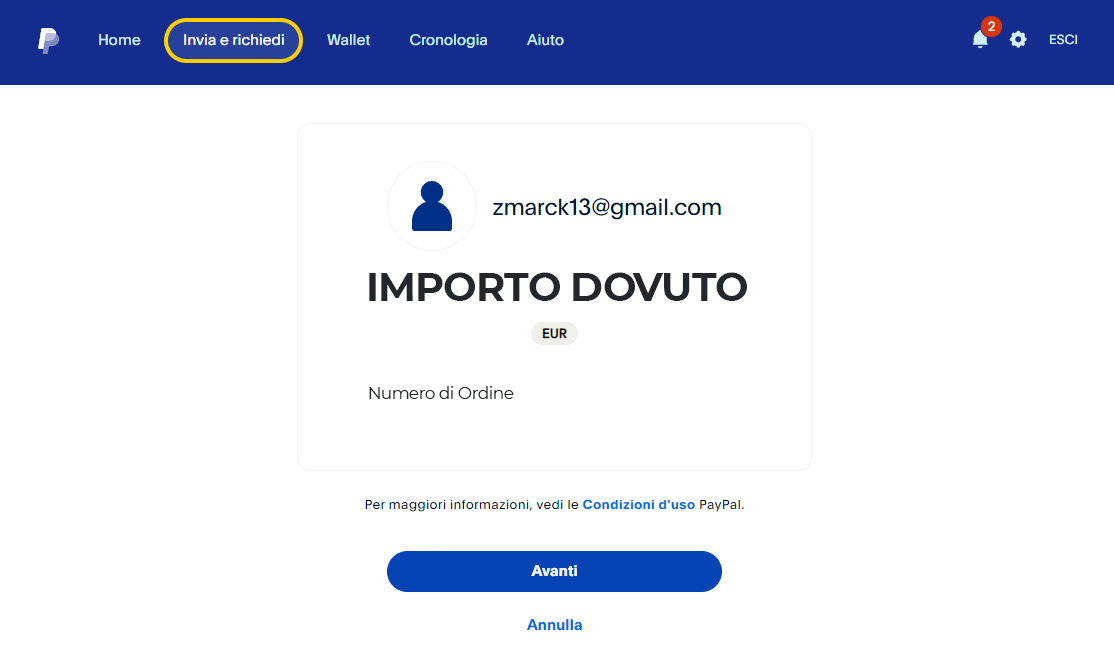
Enter the exact amount and order number generated on ZioMark's HUB Discord.
03
Mode
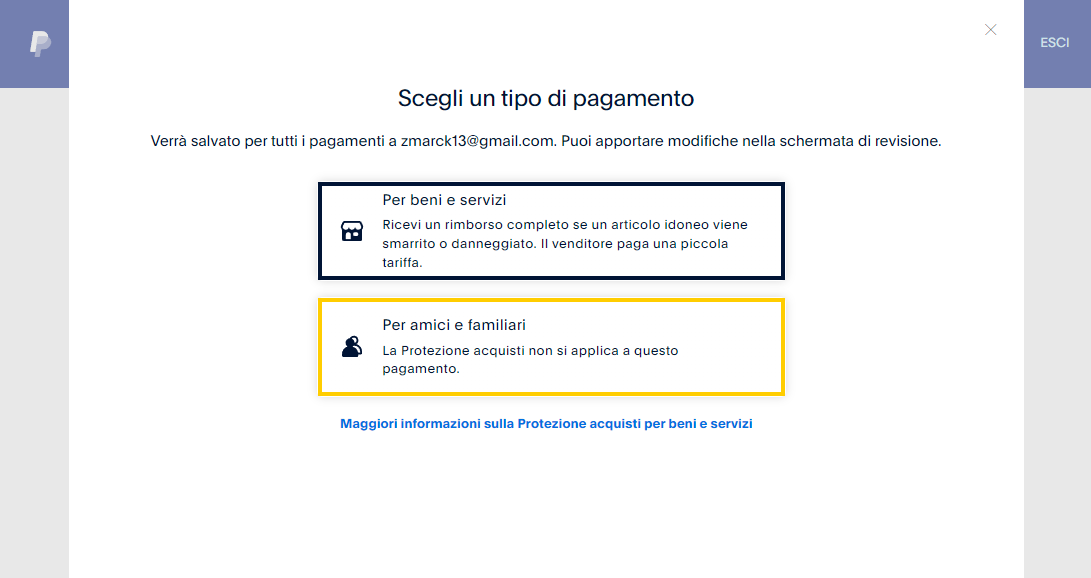
IMPORTANT: Make sure to select 'For friends and family' as the payment type.
04
Confirm
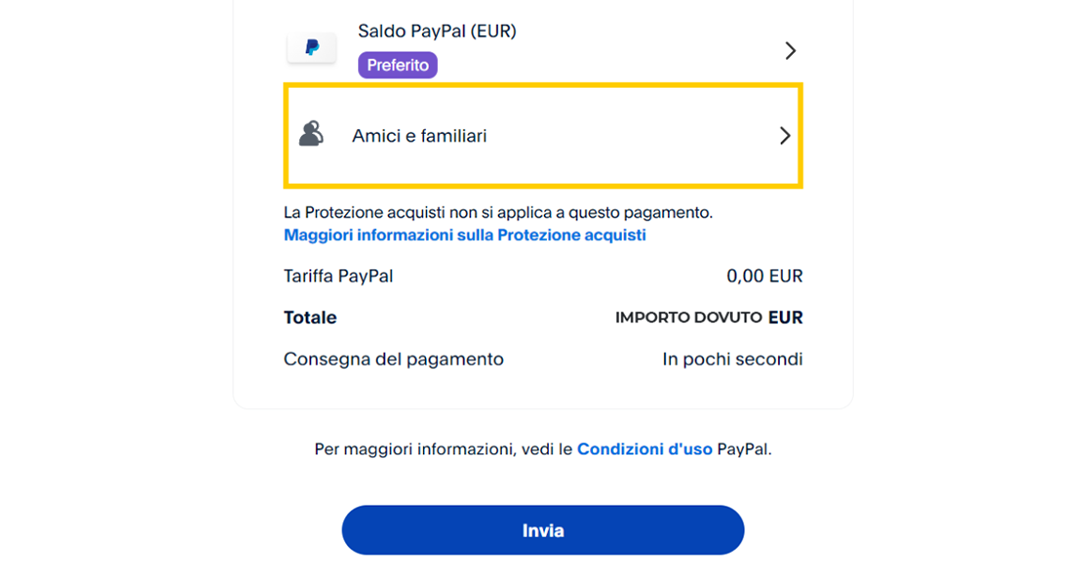
Review the details and send the payment. You will receive confirmation in your Discord ticket.